All game text (strings) can be dumped to XML and customized. This can improve information density and readability.
Things you can do:
[+SpA|-Atk]” next to Natures so I don’t have to memorize)Bullseye is a sprite mod that modifies every single Pokemon sprite to have some symbols next to it that display its type weaknesses.
This is useful if you can’t remember type weaknesses, and in certain situations (e.g., double battles) the vanilla UI won’t tell you whether a move is effective.
I did some lazy duct-tapey edits to Bullseye for personal taste.
sed -i 's/2.70/1.7/g' "./sprites/battlesprites/table-summary-scale.txt"for file in ./sprites/battlesprites/*-front-s.gif; do
(height=$(magick identify -format "%h" "${file}[0]");
magick "$file" -scale 200% -background none -gravity South -splice 0x"$height" "$file") &
((++i % 32 == 0)) && wait
doneReminder — Mind your computer’s specs! Also remember to use
/tmp/to avoid disk bottleneck.
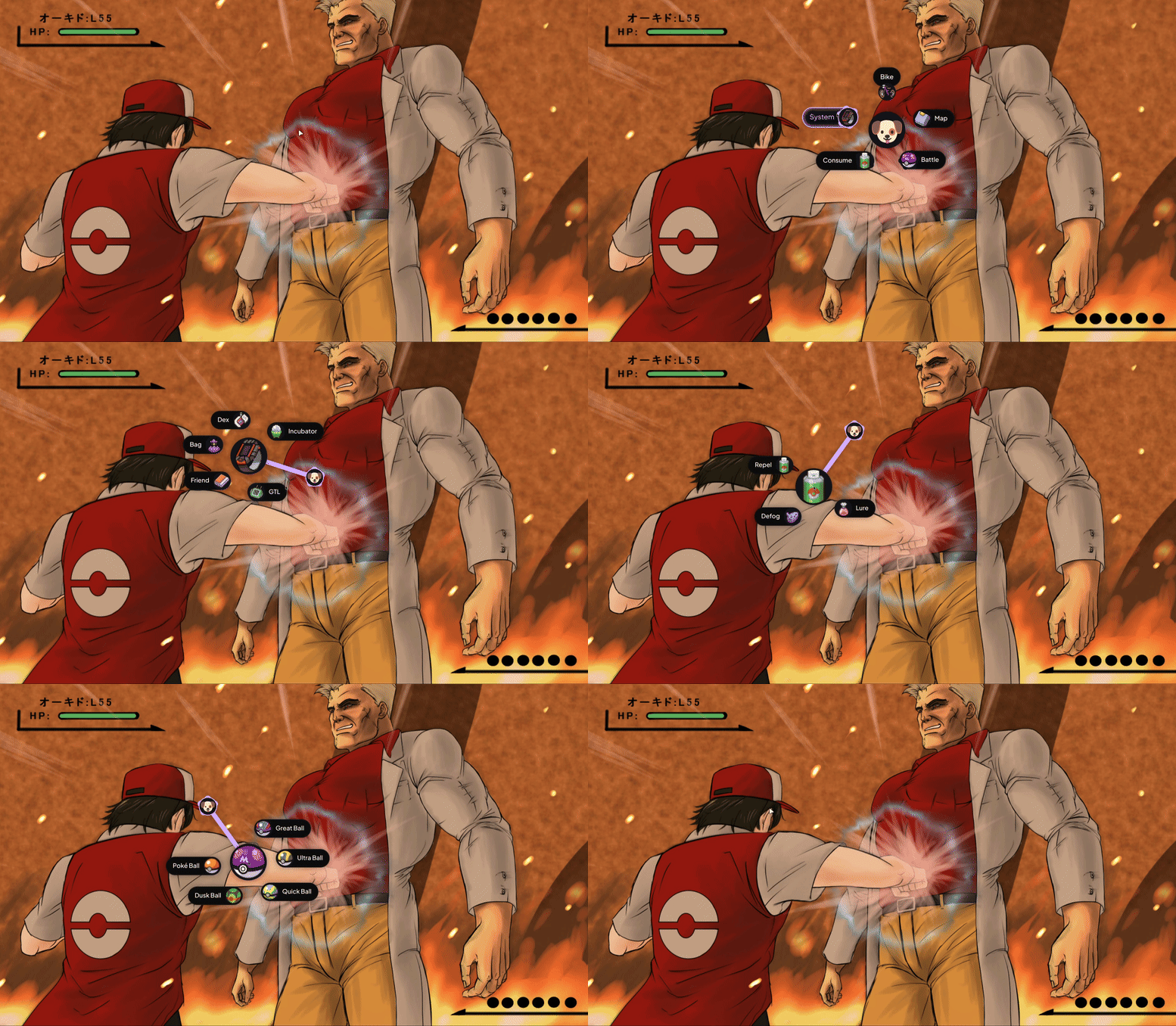
I use Kando to create a visual radial menu for common UI shortcuts. I strictly map one gesture \to one keypress. It’s slower than keyboard hotkeys, but much more comfortable for long sessions.
My Kando Config:
menus.json
My Controller: Xbox 360 Wireless Controller w/ Abysmal Stick Drift 🥀
Gamepad support is iffy because PokeMMO’s UX is dated, but country girls make do.
My main QOL improvement is that I bound my “Guide” button to trigger Kando via AntiMicroX.
Gamepad input to a Flatpak Chromium/Electron/Whatever app is scuffed so I had to add read-only udev permissions (/run/udev:ro) via Flatseal.
I map navigation and primary actions to the mouse side-buttons using Piper. These are saved to the mouse’s on-board memory as strict 1:1 bindings, sending standard keyboard signals.
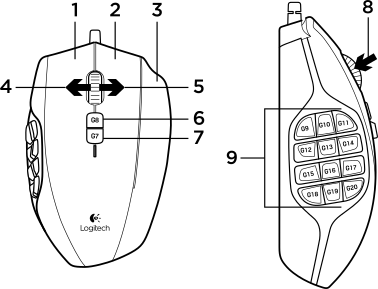
| Mouse Key | Function | Key |
|---|---|---|
| G10,G12,G13,G14 | Movement | Arrow Key |
| M3 | A button | Space |
| G11 | B button | x |
| G15 | Shortcut 8 | f |
| G16 | Shortcut 9 | s |
| G17 | Shortcut 7 | t |
My remaining buttons are for tiled window managment and don’t interact with the game client.
I have a complete write-up here.
Key A: <Spacebar>
On my laptop I use hjkl for movement, as I find it more comfortable on the tiny form factor.
| Keybind | 1 |
2 |
L |
R |
Z |
M |
T |
F |
S |
|---|---|---|---|---|---|---|---|---|---|
| Item | Defog | Lure | Repel | Bike | Map | Teleport | Super Rod | Sweet Scent |
| Keybind | 1 |
2 |
L |
R |
Z |
|---|---|---|---|---|---|
| Item | Great Ball | Ultra Ball | Quick Ball | Dusk Ball | Poké Ball |
TODO I haven’t settled on a strong control scheme yet.